

Control a 12vDC Motor from a PicoBoo
USING THE PICOBOO TO TURN A MOTOR ON AND OFF
- This method requires a 12vDC motor that does not draw more than 5amps.
- To program press REC on the PicoBoo. Press output button 1 to make the motor turn on. Press REC when done recording.
- This data applies to all of our controllers that contain relays.
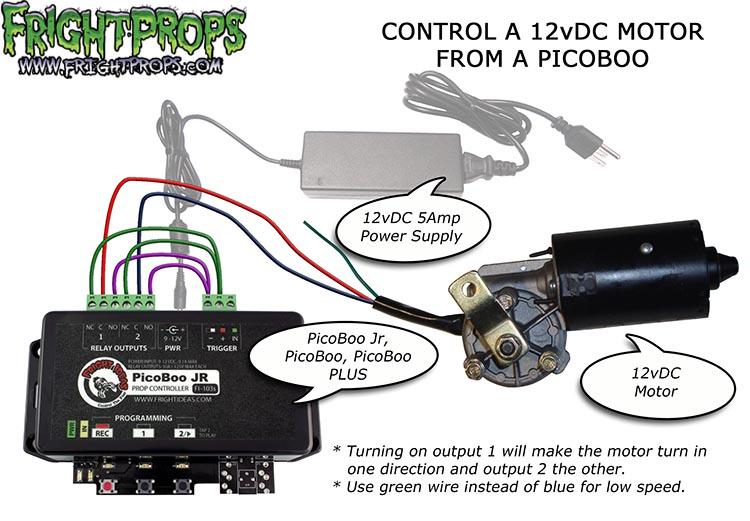
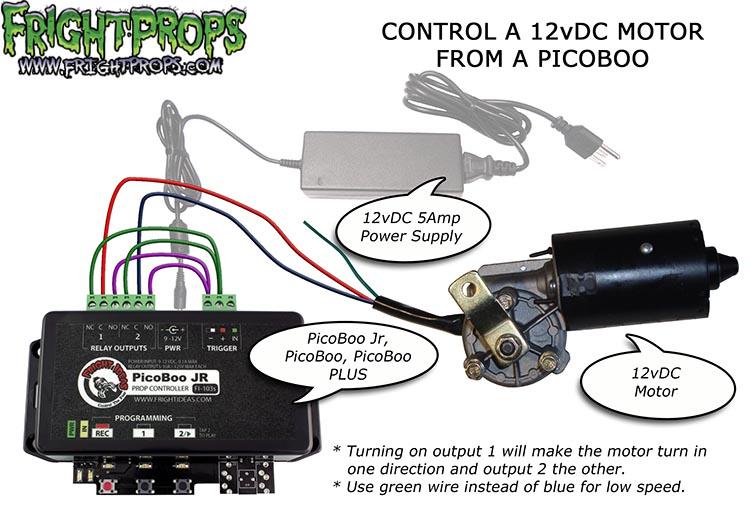
USING THE PICOBOO TO CONTROL MOTOR DIRECTION
- This method requires a 12vDC motor that does not draw more than 5amps.
- To program press REC on the PicoBoo. Press output button 1 to make the motor turn one direction and button 2 to make it turn the other direction. Pressing both buttons will do nothing. Press REC when done recording.
- Wires shown in various colors only for clarity. Any color may be used.
- This data applies to all of our controllers that contain relays.
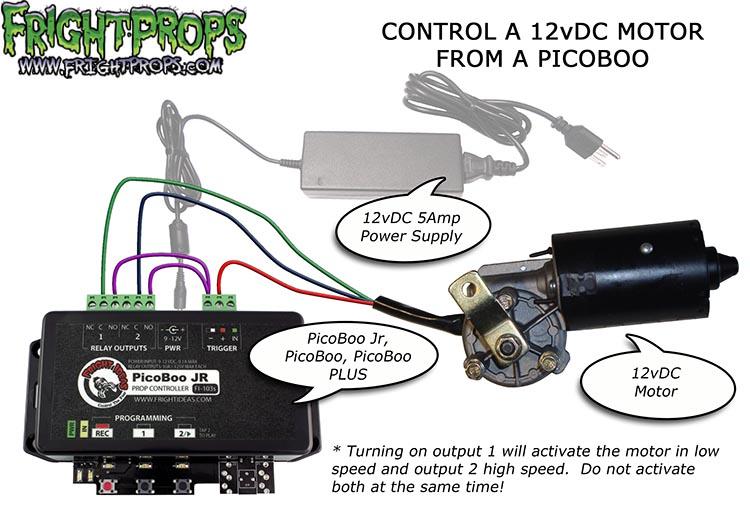
USING THE PICOBOO TO CONTROL MOTOR SPEED
- This method requires a 12vDC motor that does not draw more than 5amps.
- To program press REC on the PicoBoo. Press output button 1 to make the motor move in slow speed and button 2 for high speed. Do not press both buttons at the same time! Pressing both buttons will do nothing. Press REC when done recording.
- This data applies to all of our controllers that contain relays.
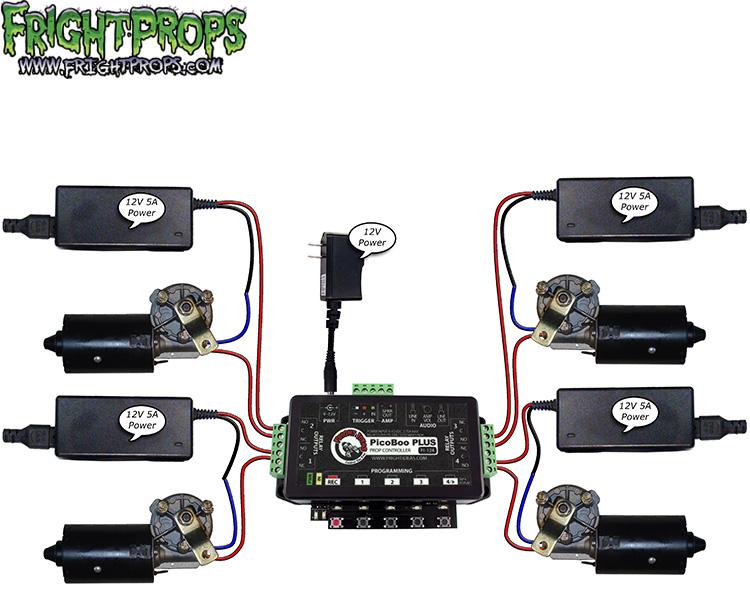
USING A PICOBOO PLUS TO TURN MULTIPLE MOTORS ON AND OFF
- Running multiple motors requires a power supply for each motor.
- This method requires 12vDC motors that do not draw more current than the power supplies can provide.
- This data applies to all of our controllers that contain multiple relays.